Monday, July 29, 2013

Install and Configure SNMP on Ubuntu


Installation of SNMP service on Ubuntu  is little different in comparison to red-hat base systems. There are simple steps to install and configure but first important thing is which package is equivalent to which package in Debian Repository, there are two packages named snmp and snmpd. snmp is the client tools and snmpd is server.
so lets start the installation

sudo apt-get install snmpd snmp

Only by this snmp will be installed on the system, now its time to configure it.

Configuration
Now Rename the Original SNMPD configuration file

sudo mv /etc/snmp/snmpd.conf  /etc/snmp/snmpd.conf.org

then create new configuration file

sudo vim.tiny /etc/snmp/snmpd.conf

and copy this content to that file

rocommunity  public
syslocation  "India"
syscontact  dexterdgeek@gmail.com


Make snmpd use the newly created file and make it listen to all interfaces:

Edit /etc/default/snmpd

Change from:
# snmpd options (use syslog, close stdin/out/err).
SNMPDOPTS='-Lsd -Lf /dev/null -u snmp -I -smux -p /var/run/snmpd.pid 127.0.0.1'

To:
# snmpd options (use syslog, close stdin/out/err).
#SNMPDOPTS='-Lsd -Lf /dev/null -u snmp -I -smux -p /var/run/snmpd.pid 127.0.0.1'
SNMPDOPTS='-Lsd -Lf /dev/null -u snmp -I -smux -p /var/run/snmpd.pid -c /etc/snmp/snmpd.conf'

and restart snmpd

sudo /etc/init.d/snmpd restart


Test
Do a snmpwalk from another host against your newly configured host.

snmpwalk -v2c -c public 127.0.0.1

Yes it works!!

Tuesday, July 23, 2013

Monitring Machine


From last fewdays , i was tying to configure a Linux system to monitor my Lab Network and services. There is not any much information available on net. There are few networking tools avalable, so I thought to give them a try and here are tehe details fo them.
I tried these three tools:
1. MRTG
2. Munin
3. Nagios

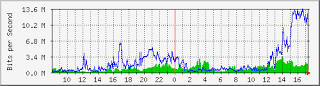
The Multi Router Traffic Grapher, or just simply MRTG is free s/w for monitoring and measuring the traffic load on networklinks. It allows the user to see traffic load on a network over time in graphical form.MRTG uses the Simple Network Management Protocol (SNMP) to send requests with two object identifiers (OIDs) to a device. The device, which must be SNMP-enabled, will have a management information base (MIB) to look up the OIDs specified.

Munin is a networked resource monitoring tool that can help analyze resource trends and "what just happened to kill our performance?" problems. Munin presents output in graphs through a web interface.

Nagios is an open source computer system monitoring, network monitoring and infrastructure monitoring software application. Nagios offers monitoring and alerting services for servers, switches, applications, and services. It alerts the users when things go wrong and alerts them a second time when the problem has been resolved.

I installed this on Ubuntu 12.04. Installation and Configuration steps are in my others posts.
Source: Wikipedia

Friday, November 18, 2011

Upgrade to new release Fedora 16 (Verne)


To upgrade latest version of the Fedora Linux operating system simple process is here which provide update from the older versions of Fedora to Fedora 16

Open the Terminal and install the tool preupgrade by 
        
    yum -y install preupgrade

After installing this tool start it from terminal by using this command 

   preupgrade

then simply follow the instruction

Apply


Forward

After click Forward tool will download the required metadata for upgrade to Fedora 16,
after this reboot the system and complete the installation.


Njoy Fedora 16(VERNE)


Saturday, September 3, 2011

Install Linux and Windows together


Install Fedora and Windows on the same machine 

For those who are using windows and wants to move to Linux, and also for those who wants to make a dual boot, the first question that arises is "can we install windows and linux together" and the answer is YES, you can install linux and windows on the same machine, we call it "Dual Boot". 
The steps for making the machine dual boot is given below, remember one thing, install windows first and then install linux to avoid trouble.


First you need to understand the some basic terms about the file system


    In an hard disk you can only make 4 primary partition (extended partition is included and treated as a primary partition, the partitions inside the exteneded partitions are excluded) So there is an option of a primary and extended partition.


    Windows only understand the NTFS and FAT partition while Linux understand all the partition (you can create a extX partition and put your data there so that others can not see it on windows and you will get a secure partition).


    For installing the Linux, Linux need some specific partition(swap, ext4 with mount point / and /boot).


Now after understanding this terms, time to start the Installation before this you need the Windows CD/DVD and the Linux CD/DVD to install the OS on your machine.


For the Fresh hard disk installation


Firstly install the windows in your machine, during the partition time just create the one partition of NTFS with the minimum drive size as per your windows version


Windows 98/XP 7 GB


Windows vista 10 GB


Windows 7 13 GB


And specially don't do any other partition here.


Now time to install the Linux with your Windows, so we take the example of Ubuntu or Fedora


nearly all the Linux contain the same type of partition table


Boot the System with the boot-able media of Ubuntu or Fedora


and at the time of partition (i.e. In partition table) seems one NTFS partition of windows and the rest is allocated space, follow the steps mention here


    Make the whole space Extended


    Now make the partion in extended space


    1 Partition Type swap with 1 GB(40% of your RAM size)


    2 Next one partition Type ext4 and the Mount Point /boot and the size will be 500 MB (if you are installing your third os after installing windows and linux then you can skip the step of formating the boot partition just use it as it is)


    3 And the third one is also the Ext4 type but with the mount type / with size minimum 20 GB space.


    And in the rest of space make the partion as per your wish but with the type NTFS because if you use something else it will not be accessible in Windows


    Complete the Installation process and Njoy the windows and Linux on the same machine.


    For switching between the windows and Linux, when you start your machine select the as per your required OS form the boot loader.
And Njoy your OS.

Sunday, May 29, 2011

Change the GRUB Menu Timeout on Fedora 14, Fedora 15

Change the GRUB Menu Timeout on Fedora 14, Fedora 15

When your system boots, you will see the GRUB menu, or if you’ve enabled the menu to show by default. The only issue for this is that the default timeout. So you may want to change this timeout. Increase or Decrease the time,both are simple.

Open up the /boot/grub/grub.conf file in any text editor. For this you need Super User Permission
i am using Gedit

   #gedit /boot/grub/grub.conf

Now find the section:

    timeout=0

and now replace the 0. The timeout value is in seconds so replace it some other value
as i want it for 5 seconds, so i used

     timeout=5

And save the file, and when you reboot you will have that many seconds to choose the menu item you want.

Wednesday, March 30, 2011

3 Good Games For Linux


 Three open source games for Linux , I installed the games on Fedora and I Njoyed all,
I liked Supertux perhaps because it is similar to super mario one my favorite games on Video Games, the rest of two games are nice ones also with good graphics.
SuperTux
SuperTux is a classic 2D jump'n run sidescroller game in a style. The game was inspiried by the Nintendo Super Mario Series. The Milestone 1 release of SuperTux features: 9 enemies 26 playable levels Software and OpenGL rendering modes configurable joystick and keyboard input new music completely redone graphics. And it is also a crossplatform.


I tested this game, is funny almost the same as Super mario game
For CentOS & Fedora
                       #yum install supertux
Pingus
Pingus is a free computergame inspired by Lemmings and Created by Ingo Ruhnke.
In this TUX(penguin) instead of lemmings.


For CentOS & Fedora
                        #yum install pingus
Wormux
WarMUX is a free and open-source game. Have the mascots of your favorite free software titles battle it out in the Wormux arena using dynamite, grenades, baseball bats and other bazookas... Exterminate your opponent in a 2D environment with toon-style scenery.
For CentOS & Fedora
                       #yum install wormux

Monday, March 28, 2011

IM Chat Clients Mostly Used

 IM Chat Clients Mostly Used on Fedora

An instant messaging client is a software application 
that enables the user to engage in instant messaging.
Many IM chat clients available to use, but which one is the best choice for you. Basically most of them do the same job for me i usually use Pidgin my favorite one. many IM clients supporting connecting to multiple networks accounts “Hotmail, yahoo, facebook, irc, gmail, ICQ, AIM, myspace, Japper, even more with adding custom API”
  1. PSI IM
    To install any chat client you have to download it from its web site or you can install it through yum on fedora by respective steps
    First you need to Super User (as Root)
    For pidgin
               #yum -y install pidgin

    For empathy
               #yum -y install empathy

    For  Emesene
              #yum -y install emesene

    For PSI
             #yum install psi

    After Installing any of the chat client 
    Njoy the Instant Messaging